Model Training

Fine-tune on your data.Trace every version.

Pick a pretrained model and a GPU, watch the run live, and get a model version that remembers the data and settings behind it.

Model training highlights

  • Fine-tune, don’t start over

    Start from pretrained checkpoints, including YOLO, D-FINE, RT-DETRv2, DEIMv2 and EdgeCrafter, or from your own earlier version.

  • Watch every run live

    The report updates every epoch with metrics, curves and predictions of the best checkpoint so far.

  • Every run is a version

    Weights, datasets, classes, parameters and the report stay together in the model registry.

  • Any GPU, clear costs

    Train on OvalBee Cloud with the price shown up front, or on your own GPUs, from a workstation to a cluster in your cloud.

  • Let an agent do the setup

    Describe the training you need in AI Chat, or from your own agent over MCP. It builds the flow, explains failed runs and tunes them with you.

  • Retrain on new labels

    Point training at the latest accepted dataset and run it on a schedule, without rebuilding anything.

Pretrained models and the model registry

Pretrained Models

Start from a proven checkpoint

Ready-made models from leading families, compared by accuracy, size and license before you spend a GPU hour.

  • Compare accuracy and size
  • Filter by license
  • Try them before training
  • Upload your own weights

Model catalog

  • D-FINE-SDEIM49.010MApache-2.0
  • D-FINE-MDEIM52.719MApache-2.0
  • D-FINE-LDEIM54.731MApache-2.0
  • D-FINE-XDEIM56.562MApache-2.0
  • RT-DETRv2-SDEIM49.020MApache-2.0
  • RT-DETRv2-MDEIM50.931MApache-2.0
  • RT-DETRv2-LDEIM54.342MApache-2.0
  • RT-DETRv2-XDEIM55.576MApache-2.0
  • YOLO11sUltralytics47.09.4MAGPL-3.0
  • YOLO11mUltralytics51.520.1MAGPL-3.0
  • YOLO11lUltralytics53.425.3MAGPL-3.0
  • YOLO11xUltralytics54.756.9MAGPL-3.0

Private Model Registry

Every run becomes a version

Each version keeps its weights with the model, data and run it came from, and every evaluation that scored it.

  • Lineage for every version
  • Aliases like @production
  • Scores across versions
  • Export and deploy

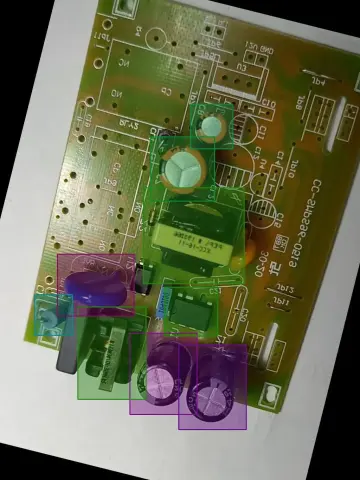
PCB detector v8

Fine-tuned from ECDet-S on PCB components v12

Train EdgeCrafter · 1,099 train and 200 val images · 21m 4s

mAP on fixed test setsHeld-out test setLow-light test set
0.50.60.7D-FINE-S baselinev3v4v5v6v7v8

v8 leads on held-out boards but drops 7 points on low-light ones, so @production stays on v7.

Worst images for v8 · low-light boards

Training infrastructure

Our GPUs or yours. The flow stays the same.

Start on OvalBee Cloud with clear prices, or run OvalBee yourself and connect whatever GPUs you have. The flow does not change when the hardware does.

OvalBee GPU Cloud

Choose the GPU that fits the job and see its price before you start. You pay only for the time it actually runs, nothing to provision or switch off.

Your cloud account

Connect a Kubernetes cluster such as AWS EKS, and training runs on GPUs in your own account, with your quotas, your discounts and your security rules.

Your own machines

Run OvalBee with Docker on any machine with an NVIDIA GPU, from a workstation under your desk to a server rack, and train right next to your data.

Continuous training

Retrain on new data without rebuilding anything

The flow that trained the first version trains the next one. New labels, a schedule or a better config start the same run, and every result lands in the registry.

  • Train on the latest labels

    A train node reads the dataset at @latest, so every run learns from everything accepted so far.

  • Run on a schedule

    Every few hours, every Monday or on a cron expression, or right after the node before it finishes.

  • Let the results tune the next run

    Recommend training config reads the evaluation and raises image size or epochs where the errors point.

Capabilities

Everything a training run needs

  • Model families

    YOLOv8YOLOv9YOLO11D-FINERT-DETRv2DEIMv2EdgeCrafterYour own .pt and .pth

  • Tasks

    Object detectionInstance segmentationFine-tuning from COCO weightsContinued training from your versions

  • Training settings

    Train and validation inputsHyperparameters as YAMLImage size and batchMosaic and mixup schedulesMixed precisionEvaluation every N epochs

  • Live report

    Metrics per epochLoss and learning-rate curvesBest-checkpoint predictionsConfusion matrix and PR curvesTensorBoardTrain and validation overlap warning

  • Model registry

    Families and versions@latest and custom aliasesBase model lineageClasses pinned to an ontology versionCheckpoint download30-day trash

  • Export and use

    PyTorchONNXTensorRT with FP16Local code snippetPredict nodesHTTP endpoints

  • Compute

    Managed cloud GPUsPrices shown up frontDocker hostsKubernetesSeparate GPU clusterAdmin-defined machine classes

  • Automation

    Schedules and cronParent-node triggersDatasets at @latestRecommend training configAI gateAI agents over MCP

  • Evaluation

    Predict on test setsEvaluate object detectionCompare object detectorsBenchmark leaderboardsActive learning curvePre-labeling efficiency

FAQ

Model training questions

Which models can I train?

Detectors from YOLOv8, YOLOv9 and YOLO11, D-FINE, RT-DETRv2, DEIMv2 and EdgeCrafter, starting from their COCO weights or from any version in your registry. EdgeCrafter ECSeg models and uploaded YOLO segmentation checkpoints train instance segmentation too. If your project needs another architecture, we add it with you during onboarding.

Can an AI agent set up training for me?

Yes. Describe what you need in AI Chat, for example a detector trained on accepted labels every Monday, and the agent finds the nodes, builds the flow and sets the schedule. It can also read a failed run and explain what went wrong. Prefer your own agent? Connect Claude Code, Codex or any MCP client. Nodes run only with your approval.

Can I start from my own weights?

Yes. Upload a .pt or .pth checkpoint with the Upload model node, and it becomes a version in your registry. Train, predict, export and evaluate nodes can use it like any other version, so you can keep fine-tuning a model you trained somewhere else.

Can I use catalog models commercially?

It depends on the model, which is why the catalog shows the license next to each one. D-FINE and RT-DETRv2 are Apache-2.0, YOLO models are AGPL-3.0, and DEIMv2 and EdgeCrafter are licensed for non-commercial use only unless you get a separate grant from their authors.

Can training run on our own GPUs?

Yes. A self-hosted installation runs every node in a container, either on one Docker host with the NVIDIA runtime or as pods on a Kubernetes cluster. Training can also go to a separate GPU cluster while the platform runs elsewhere. During the private beta we set up self-hosted installs together with your team.

What happens if a run fails or I stop it?

The version is marked as failed and @latest stays on the last version that finished, so flows that use the alias keep working. On OvalBee Cloud a stopped run stops costing. YOLO runs save their best and last checkpoints every few minutes, so even a failed run keeps them.

How do I know a new version is better than the last one?

The training report shows validation scores while the model trains. For a fair verdict, predict on a test set pinned to a fixed version and evaluate the result. Every evaluation is attached to the version it scored and appears on that test set's leaderboard in Benchmarks.

Does OvalBee tune hyperparameters for me?

Not with a blind search. Recommend training config reads an evaluation report and suggests concrete changes: a larger image size when small objects lag behind, more epochs when missed objects or loose boxes cost the most. Its output is YAML you connect straight to the next training run.

Can I use a trained model outside OvalBee?

Yes. Download the checkpoints of any version, export YOLO and DEIM models to ONNX or TensorRT, and copy the code snippet from the training report to run the model locally. You can also deploy a version as an HTTP endpoint secured with an API token.