

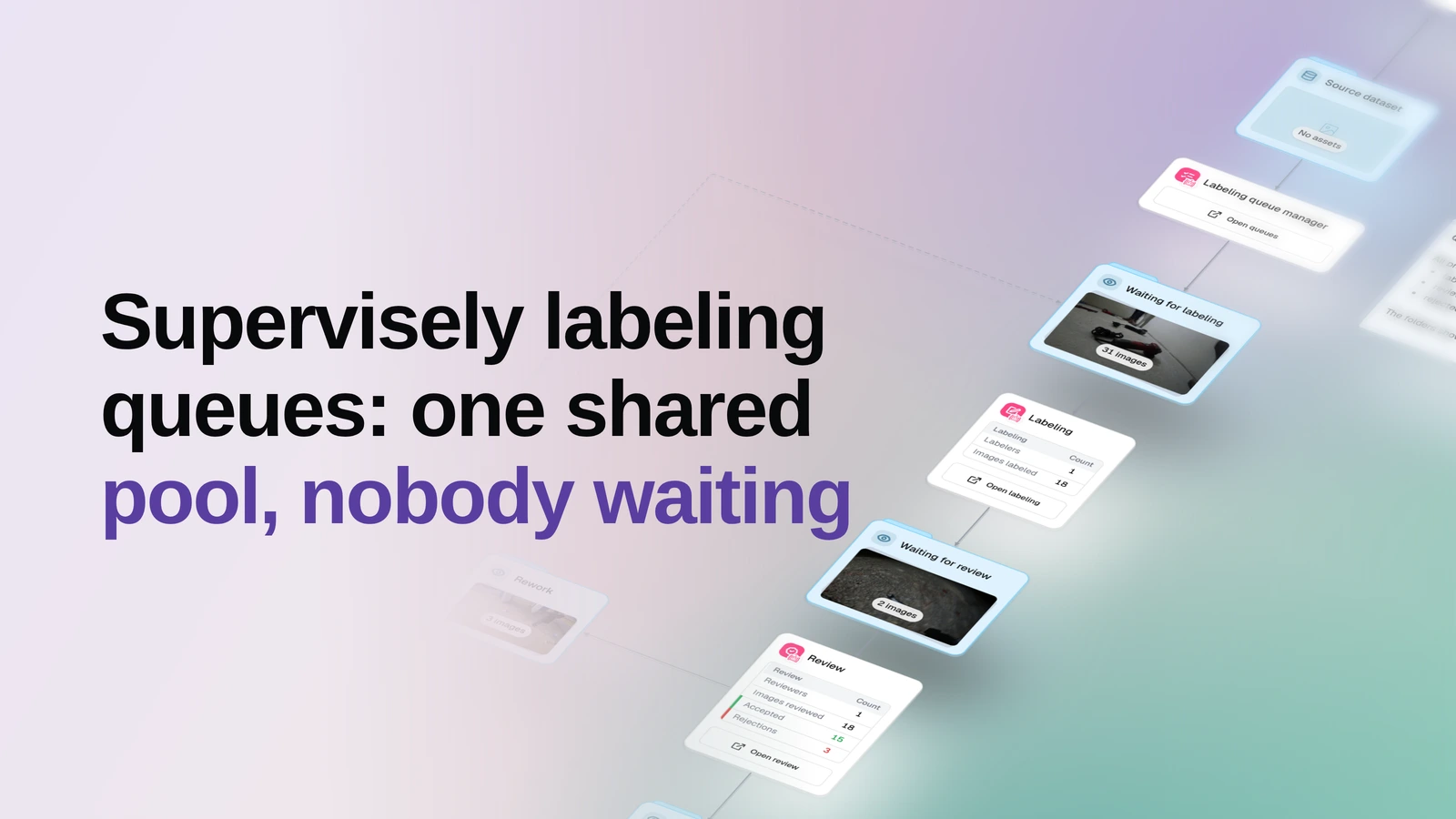
Put your images into one shared Supervisely labeling queue and let everyone pull the next one as soon as they are free — no batches to cut, no assignments to keep track of, and every image's stage visible in OvalBee.
▶ Open this template in OvalBee
Overview
- Task: Manual image annotation and review in Supervisely, handed out one image at a time from a shared pool
- Input: Images in an OvalBee dataset, a class ontology, your Supervisely credentials, and the people who will annotate and review
- Pipeline: pick the source dataset → fill one Supervisely labeling queue → annotate → review → accept, or send the image back to its author → accepted dataset
- Output: A dataset of accepted images with their annotations, five live stage datasets showing where every other image currently sits, and labeling and review stat cards
When you need it
Use this template when you want your annotators kept busy rather than kept track of. Everyone draws from the same pool, so a fast annotator simply takes more images and a slow one takes fewer, the load evens out without anyone rebalancing it, and somebody who joins halfway through starts pulling straight away. Reviewers work the same pool the same way, and a rejected image goes back to the person who labeled it instead of being reassembled into new work for somebody else.
The trade is that nothing is assigned by name: if you need each annotator to own a fixed batch and want to see who is holding what, use Labeling jobs in Supervisely instead. Both keep the labeling and the decisions in Supervisely — OvalBee runs the process around them and holds the data.
It is operational rather than one-shot. The queue manager ticks on a schedule, so images you add to the source dataset tomorrow join the same pool without you touching anything, and a labeler whose queue job already finished is reopened to take them.
What you need
An OvalBee dataset of images and a class ontology, either the source dataset's own or one defined on the manager itself. If your images aren't in OvalBee yet, bring them in with one of the import templates first. Images do not need to be labeled in advance. You also supply your Supervisely credentials, the team, and the labelers and reviewers — all of whom must already be members of that team. The workspace and project are optional: without a project the manager creates its own and reuses it on every run. Whether reviewers may review their own annotations, whether the author of each figure is hidden from the people working the queue, and whether finished labeling jobs are reopened when new images arrive are all switches.
How it works
| Step | What happens |
|---|---|
| Pick the dataset | You pick the OvalBee dataset that images will be assigned from. |
| Fill the queue | The queue manager creates a Supervisely project and dataset, uploads each image once, and opens a single labeling queue over the whole pool. It adds labelers and reviewers who appear in the inputs later. |
| Track the stages | Images leave the source dataset and move through six datasets — Waiting for labeling, Labeling, Waiting for review, Review, Rework and Accepted — as the queue hands them out and people act on them. |
| Close the loop | Accepted images land in the Accepted dataset with their annotations pulled back; rejected ones wait in Rework until their author resubmits them. |
| Watch the numbers | Two stat cards report how labeling and review are progressing, each with a button that opens Supervisely. |
How labeling works
There is no pre-labeling stage — annotators create the annotations from scratch in Supervisely. The template never submits or accepts anything on anyone's behalf: pressing Submit and making the accept-or-reject call stay with the people doing the work. What it does is keep the pool topped up, mirror each image's position into a dataset you can open, and send annotators and reviewers straight into the tool.
| Step | What happens |
|---|---|
| Waiting for labeling | Images sit in the shared pool, not handed to anybody yet. |
| Labeling | An annotator has pulled one image and has not submitted it. Because the queue hands out a single image at a time, this stage never holds more than one image per annotator. |
| Waiting for review | Submitted images queued for whichever reviewer is free next. |
| Review | A reviewer holds one image and has not decided on it yet. |
| Rework | Rejected images, waiting for the person who labeled them to resubmit. As soon as the work comes back, the image moves on to Waiting for review. |
| Accepted | Approved images, with their annotations, collect in the final dataset. |
What a run gives you
A run leaves you with a working Supervisely project and dataset holding every image exactly once, the labeling queue itself, and — the part downstream nodes consume — an Accepted dataset of reviewed images with their annotations. Alongside it, five more stage datasets stay live in OvalBee: Waiting for labeling, Waiting for review and Rework sit on the canvas as previews you can open and scroll through, while Labeling and Review exist too but are not surfaced there. So "where is this image right now" is something you look at rather than ask someone.
What a run does not give you is a quality number. Nothing here checks the annotations automatically — "accepted" means a reviewer said so in Supervisely — and a rejected round leaves no historical snapshot behind, only the annotation the image currently carries. If you want a rule-based gate to catch obvious mistakes before a person sees them, that is a different template.
Related templates
- Labeling jobs in Supervisely — the other way to hand out the same work: named batches, one job per annotator, a clear owner for every image.
- Labeling with auto quality check — when you want a rule-based gate to reject the obvious mistakes before a reviewer spends time on them, labeled in OvalBee's own tool.
- Labeling with review loop — the same label-and-review cycle without Supervisely, using OvalBee's own labeling tool.
- Labeling with consensus review — when one reviewer per image is not enough and you want several annotators on the same images.