

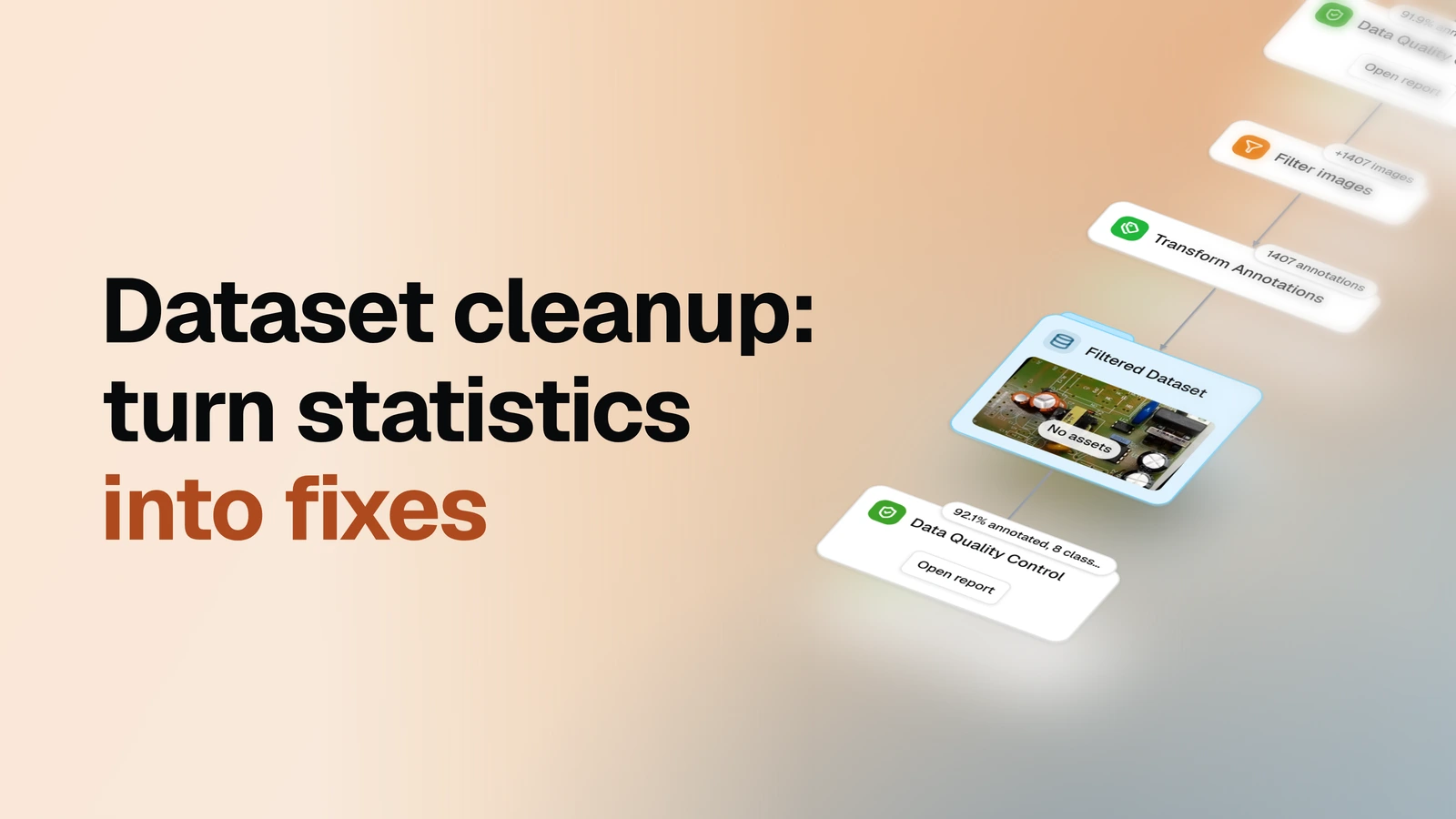
Profile a dataset, fix what the issues point at with rules — cut the broken images, mend the class names — and prove the fix worked with the same statistics run again.
Overview
- Task: Dataset cleanup, driven by descriptive statistics — profile, apply rule-based fixes, re-profile
- Input: An annotated image dataset already in OvalBee
- Pipeline: pick the dataset → profile the pool → remove the images matching a filter → rewrite the annotations that survive (rename classes) → profile the cleaned copy
- Output: A cleaned copy of the dataset plus two profile reports, before and after the cut, with per-step counts right on the graph
When you need it
You profiled a dataset — your own, or a public one you just downloaded — and the report's issues point at defects that are mechanical, not judgment calls. Two show up all the time. Images that should carry labels but don't: an unlabeled image is expected in a test split and a bug anywhere else, and the difference is readable straight from the split tags. And one class spelled two ways — a misspelled duplicate quietly splitting one class's objects across two names. Neither needs a person to relabel anything: the first is an image filter (match by tag and label count, remove what matches), the second is a rename applied to every annotation. This template chains exactly those two fixes between two profiles, so the numbers before and after make the cleanup checkable. When the labels themselves need human work — boxes in the wrong place, classes misassigned — that's the labeling with review loop; when it's whole images that are junk by content rather than by rule, the prompt-based cleanup cuts them with a CLIP text query instead.
What you need
An image dataset with annotations already in your workspace — if it isn't there yet, bring it in with one of the import templates first. The image filter matches whole images by asset tags, label count, image size, classes, or object-level conditions, combined with AND or OR; the annotation transform renames classes, keeps a subset of them, or keeps a single label shape. Both ship with sample values — the filter set to remove unlabeled validation-split images, the transform fixing one misspelled class name — swap the tag and the mapping for whatever your own profile's issues name.
How it works
| Step | What happens |
|---|---|
| Dataset | You pick the dataset to clean up |
| Profile | Every image and annotation is analyzed into a statistics report with an issues section — this is where you see what to fix |
| Filter images | Images matching the conditions — as shipped, unlabeled ones in a split where that's a defect — are removed; the rest move on with all their labels |
| Transform annotations | The class rename applies to every surviving annotation, folding the misspelled name into the right one |
| Cleaned copy | The result lands in its own dataset, referencing the same media — the original dataset is left untouched |
| Re-profile | The cleaned copy is profiled again, so the before/after difference is a readout, not a guess |
What a run gives you
The cleaned dataset and two statistics reports to hold against each other. Each report opens with an issues section — one row per thing the statistics noticed, from images with no labels and zero-size or duplicate boxes to class names that look like misspellings of each other — with the images behind every issue one click away. Then the totals: image count, annotated share, class list, object counts, per-image and per-object tables with click-through previews, class balance and co-occurrence breakdowns, and object size statistics.
A successful cleanup reads directly off the pair: an issue present in the first report and gone from the second, the class list one name shorter, the annotated share up. The filter and transform nodes each carry their own counts — images kept, annotations rewritten — so the arithmetic between the two reports is checkable. And because the fixes are written to a copy, the original dataset keeps everything: a wrong filter or mapping costs one look at the pair, not a re-download.
Both reports are descriptive: they count, plot, and flag what is there — they don't decide what to fix. The filter conditions and the class mapping you configure are the entire criterion.
Related templates
- Dataset quality control — just the profiling half, when you want to look at a dataset before deciding whether it needs cleaning at all
- CLIP: Prompt-based data cleanup — cleanup by content instead of by rule: a CLIP text query pulls whole images you don't want into a rejects set
- Labeling with review loop — when the labels need human work rather than a mechanical rule: annotate and review the pool, with rejected images looping back for another pass